
 Français
 English
Getting organised as a freelance, with a project management tool
Your goal might be to gain time, effectiveness, productivity, or even motivation. But how do you do it when you are juggling several projects?
Photo by Brooke Cagle on Unsplash
As a freelance you are a considerable all-rounder: you have to handle any number of tasks — administrative, operational, strategic — or indeed several client projects at the same time. That calls for exceptional organisation if you are not to feel swamped, to avoid putting things off, and to avoid spending time on tasks that bring your business very little.
One of the first things to do is to list your tasks, and not to underrate the humble to-do list. It simply matters to build it properly, with timing in mind. Your tasks may be daily, weekly, monthly, and so on. You can start by gathering all your "compulsory" tasks — accounting, administration — and giving yourself a day a month, or 2 hours a week, depending on what you need.
Then it matters to find your own way of working, trying several approaches: schedules, multi-tasking, batching, and so on, until you find what fits you best.
To help you keep all that information straight, you can give yourself a project management tool, and with it better organisation and better effectiveness.
There are many of them, and you are certain to find one that suits. Klaro is one, and it lets you run several projects at once thanks to considerable adaptability. Klaro does not impose a particular way of working on you; it adapts to your own.
Thanks to its system of projects and boards, Klaro offers a freelance several advantages.
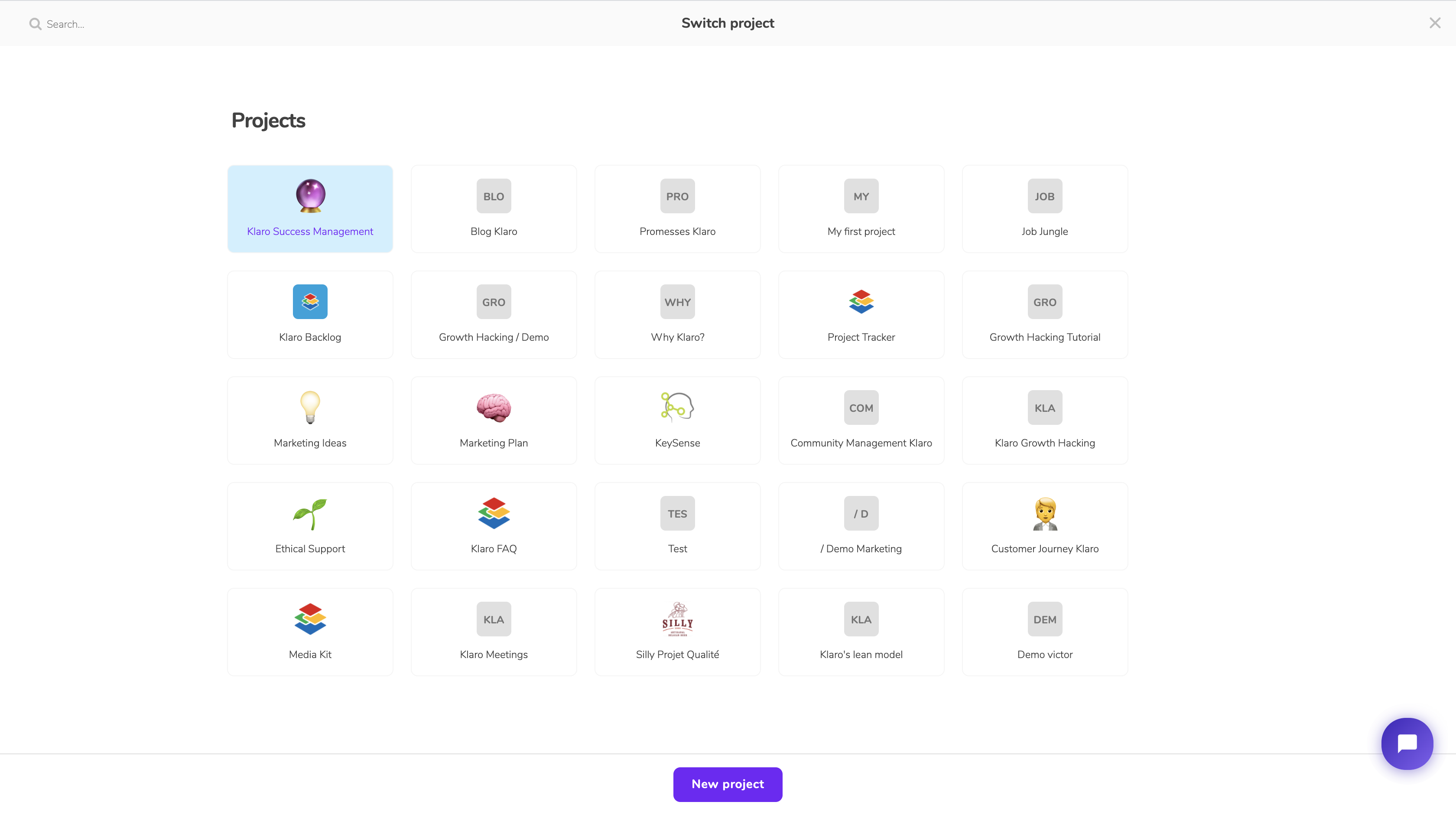
As the screenshot above shows, you can run several projects at once if you have several client projects. That lets you concentrate project by project, if that is how you like to work.
Inside a project, here is how things look:
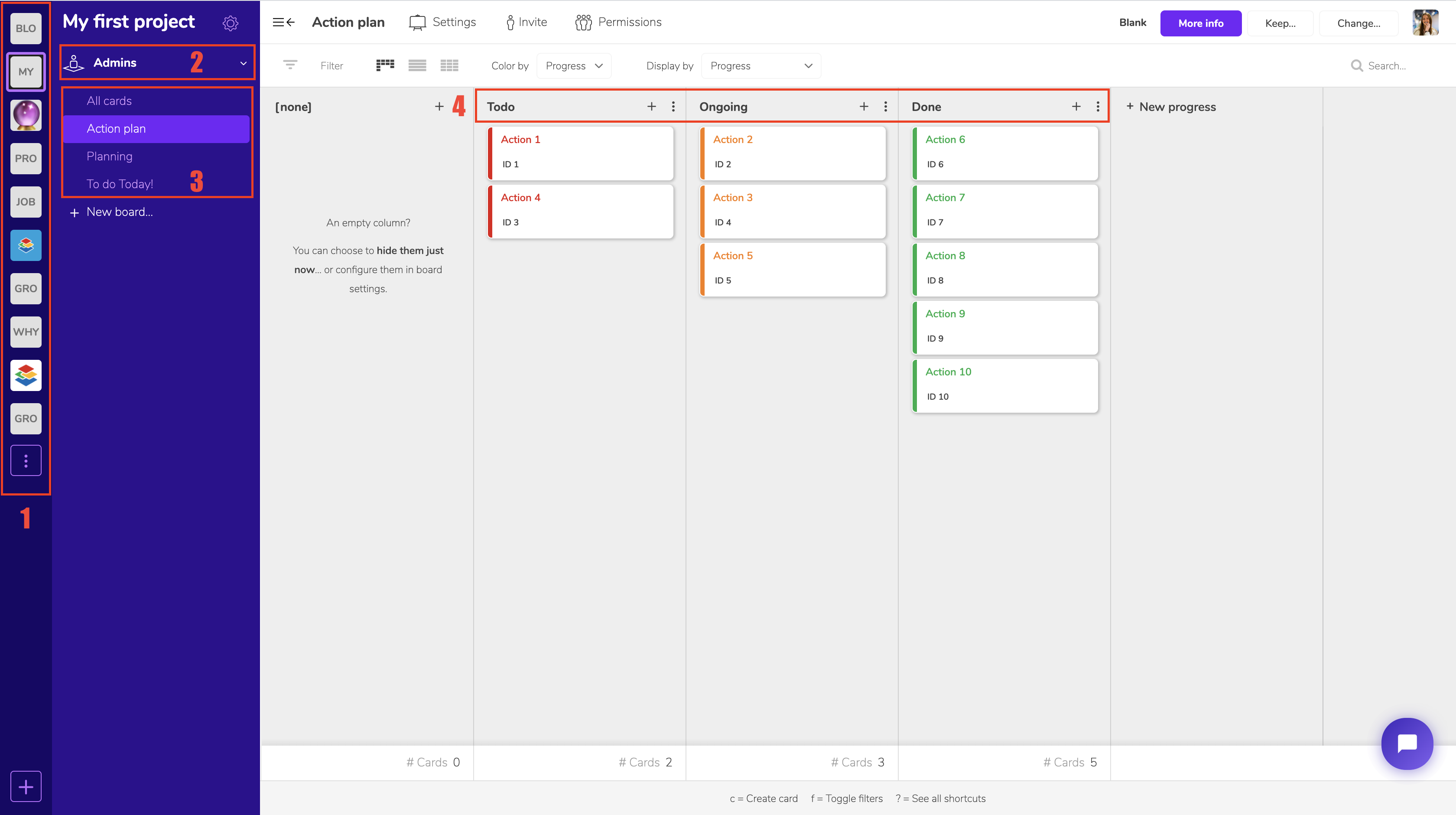
1 — Move between all your projects easily with the Project Switcher
2 — Manage your permissions: useful if you want to share your project with your client so they can follow its progress, or even assign them tasks. Here we have the "Admin" view, which lets you manage the whole project, but you can create custom "Workspaces" to invite outside people with different permissions.
3 — This is where all your boards live, and they can be whatever you like. In this example project we set up an "Action plan" board to follow the various tasks on a Kanban with a simple process (4), which you can of course adapt to your own project.
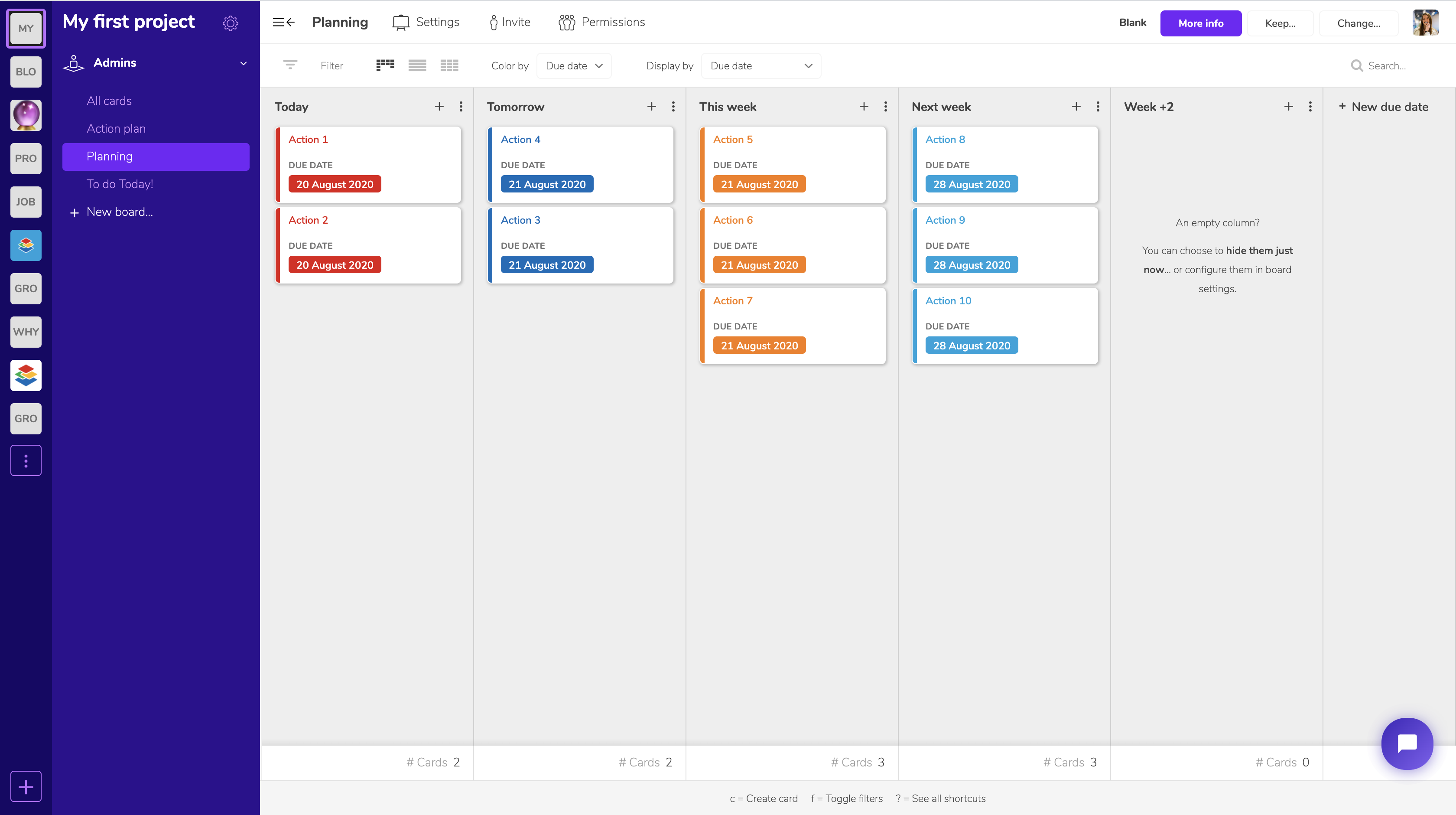
The second board is "Planning", which gives you a view by due date:
Finally, we created a "To do today" board with your daily tasks, which lets you concentrate on what is due today.
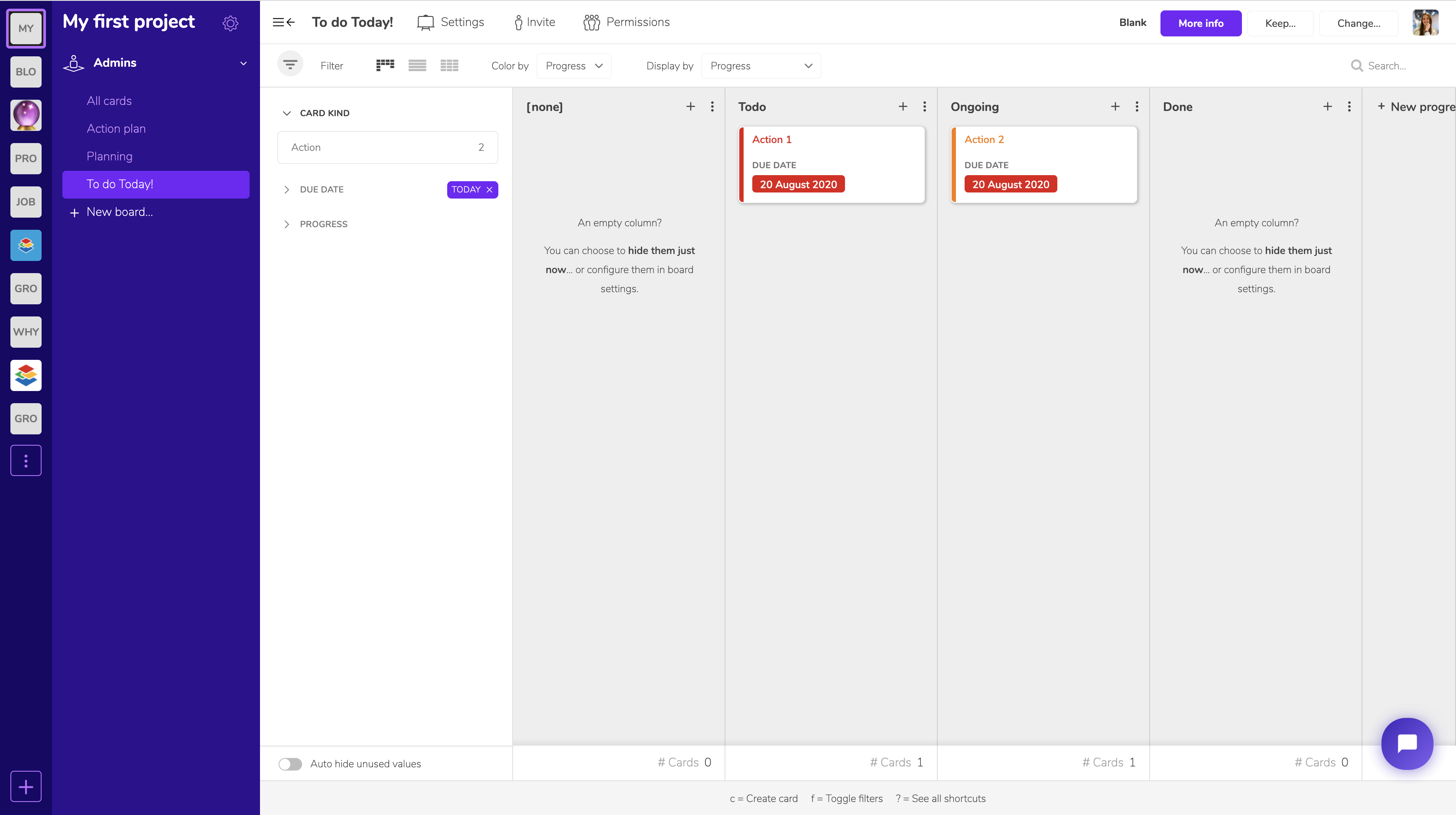
This is one example of how you might organise each project. Everything is entirely adjustable; it is a matter of finding what fits you best, and we are here to help.
Book your free demo (no commitment) right here.