
 Français
 English
Organising remote work: a database of tools to help you
At Klaro we are considerable veterans of remote work, since the whole team has always been remote. Aware that organising at a distance can be difficult at first, we decided to put together a list of useful tools that can help you bring remote work into your own teams. Because with the right tools, life is a great deal simpler.

Photo by Corinne Kutz on Unsplash
A database of useful tools for working remotely
Inside this database you will find tools for organisation, online meetings, product and software development, prospect management, note taking, and more.
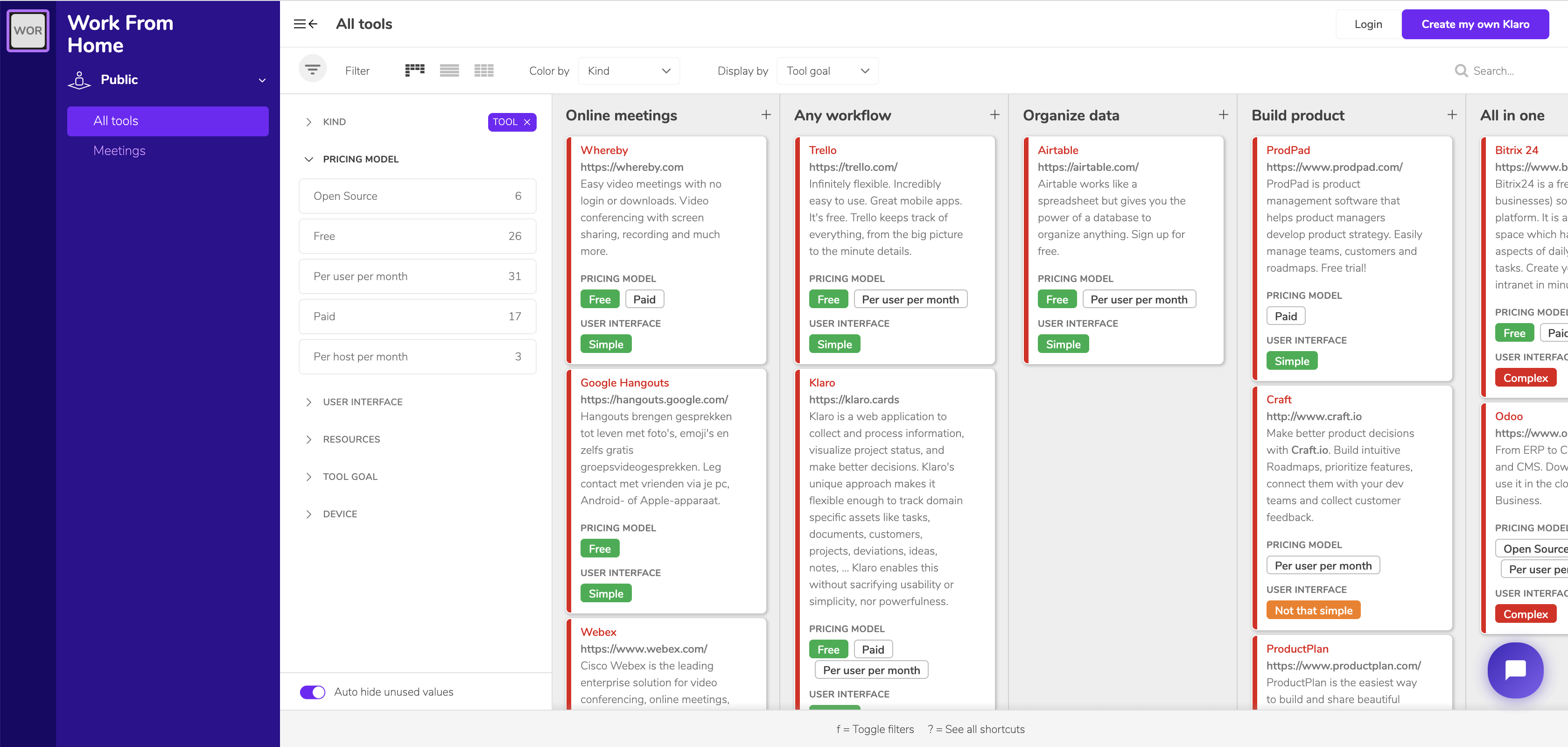
Available here, free of charge
In this project you can play with the cards, sorting them by the criteria on offer: open source, free, paid, simple interface, what the tool is for, and so on.
And if you have a tool that could help a team work remotely, get in touch. We would be delighted to add it to our list.
The tools our own team uses
From that list, the Klaro team uses a handful of applications to support us in our projects. Here are a few of them.
Effective meetings and demos thanks to Whereby and Jitsi Meet
First of all we recommend Whereby, a very practical platform for online meetings, for a number of reasons:
- free for up to four people
- nothing to download
- access through a single link

Whereby is also useful for remote demonstrations. Thanks to that single link we can easily send our whereby/klaro address to a prospect. They only have to announce themselves to enter the room, and that is that.
For our meetings, several features won us over: screen sharing, being able to enlarge particular windows, and being able to shrink the Whereby window so as to stay in the call while working elsewhere on the machine.
For calls with more than 4 people we use Jitsi. Just as practical, this tool is available free online with no software to install beforehand. Secured by encryption, Jitsi lets us hold group meetings easily. A small bonus: when we are on mute, we only have to hold down the space bar to speak — a very handy little feature.
Managing our users and prospects without limits, thanks to HubSpot
HubSpot is one of the best known and most complete CRMs on the internet. We use it mainly for prospecting. Since we work remotely, it is very practical for following how our users are getting on.
Exceptional organisation thanks to Klaro
You will have guessed it: our team uses Klaro every day. Here are a few of the projects we use daily at Klaro.
Our Backlog lives in Klaro
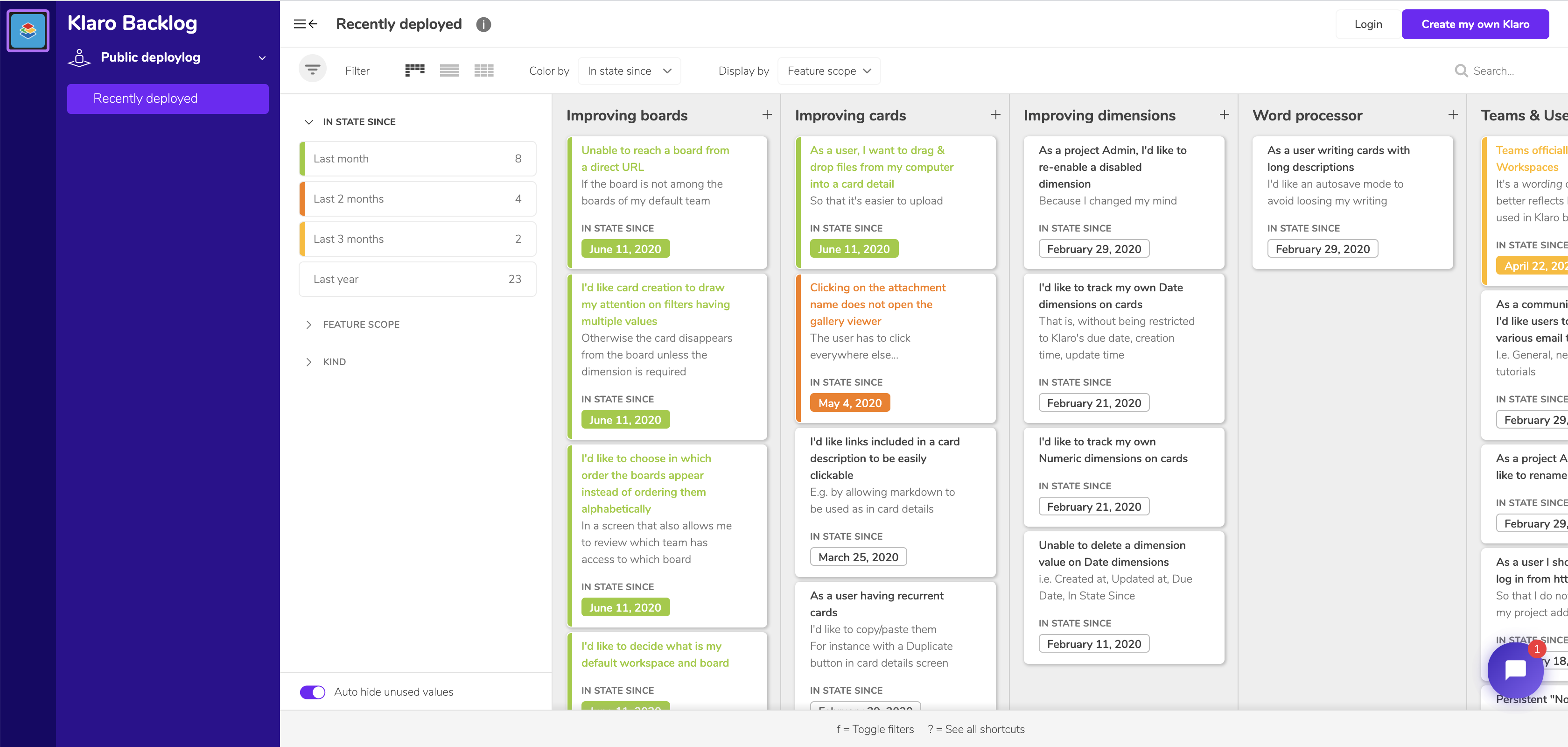
Our Backlog project lets us follow the whole process around Klaro's development. Every member of the team is invited, and all the tasks are assigned individually on boards dedicated to the website, the application, the release documentation, and so on.
Several uses are possible through this project. When one of us comes across a bug in the application, for instance, they create a card to record it. That makes the developers' lives easier, and makes us effective at fixing things.
On top of that, we made part of this project a public board, available at this address. You will find all the latest features and updates there.
Our Blog is run from Klaro
As the name suggests, the Blog project lets us hold a precise schedule for everything we publish on the blog.
.jpg)
Thanks to a calendar built around due dates, we have a detailed picture of who has to do what, and when. Every article is a card with no shortage of dimensions: writer, proofreader, publication date, subject, audience, and so on.
Every tool mentioned here is a genuine help in managing our projects. Do send us others — we love trying them out.