
 Français
 English
Improving your team's productivity with the right project management template
"Alone we go faster, together we go further"… yes, but with the right tools! Today Klaro offers you its template built specifically for teamwork.
Photo by Austin Distel on Unsplash
Managing teamwork well is essential if projects are to run properly. More and more teams, perhaps yours among them, are having to reorganise around remote work. That is why we have put together a number of templates, free to use, to help you organise your projects better.
This template lets you divide tasks between the different members of a team, follow the work on a Kanban (organised in columns), and see the team's priorities and workload across everything that is still unfinished. It is ideal for teams of 2 to 10 people, where some important deadlines have to be met.
Step 1: invite your team
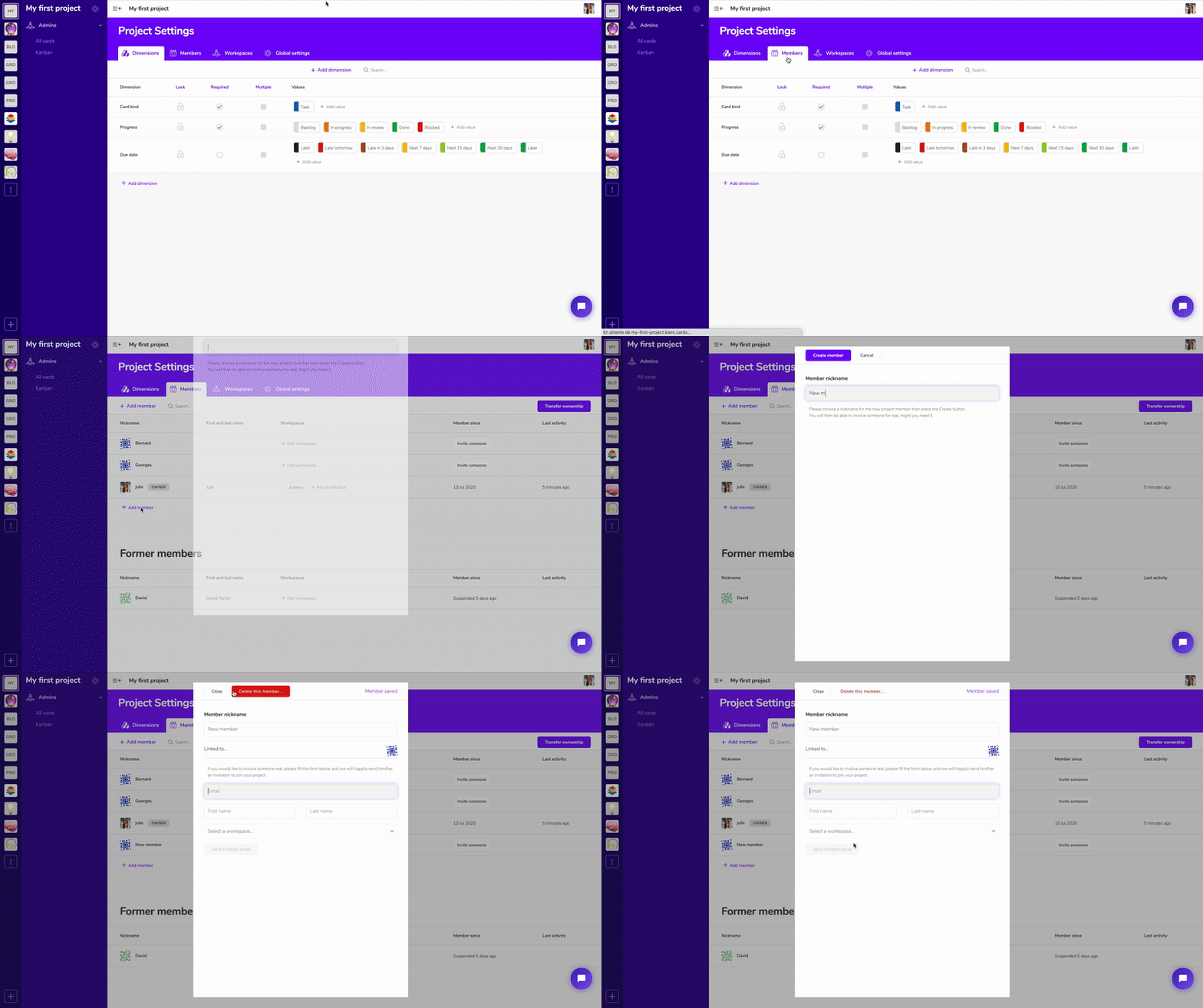
Invite the members of your team to collaborate on your project. Go to the settings, then Members, Add member, and enter your colleague's name and email address.
Step 2: add your assigned tasks
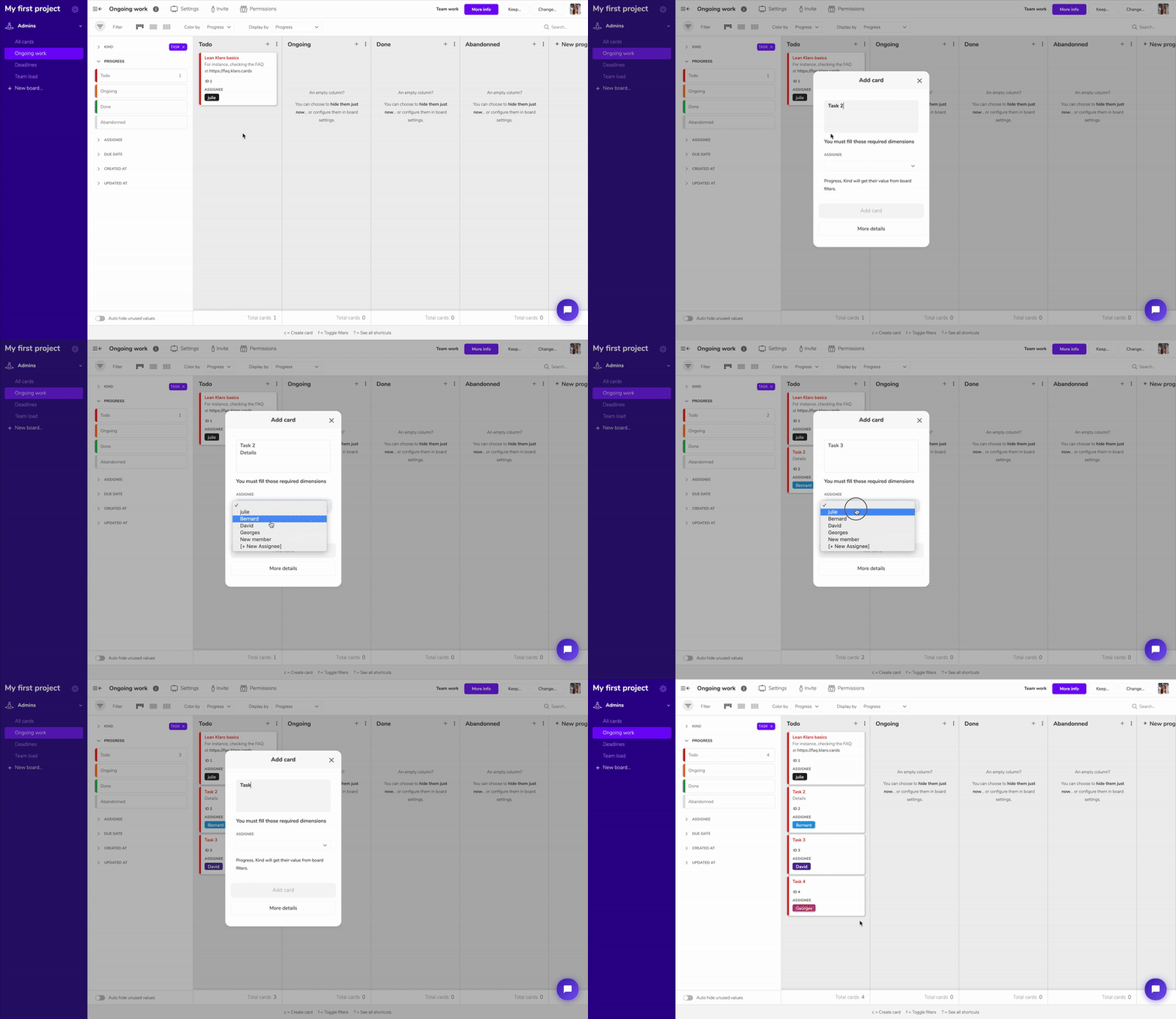
Add your tasks and name the person responsible. Every member of the project can move their own cards as each of them advances.
Step 3: add your due dates

To do that, open one of your cards and pick the date you want in the right-hand panel. To show your dates on the cards, go to Board Settings, then Card Appearance, then select your Date dimension.
Step 4: see your project from several angles
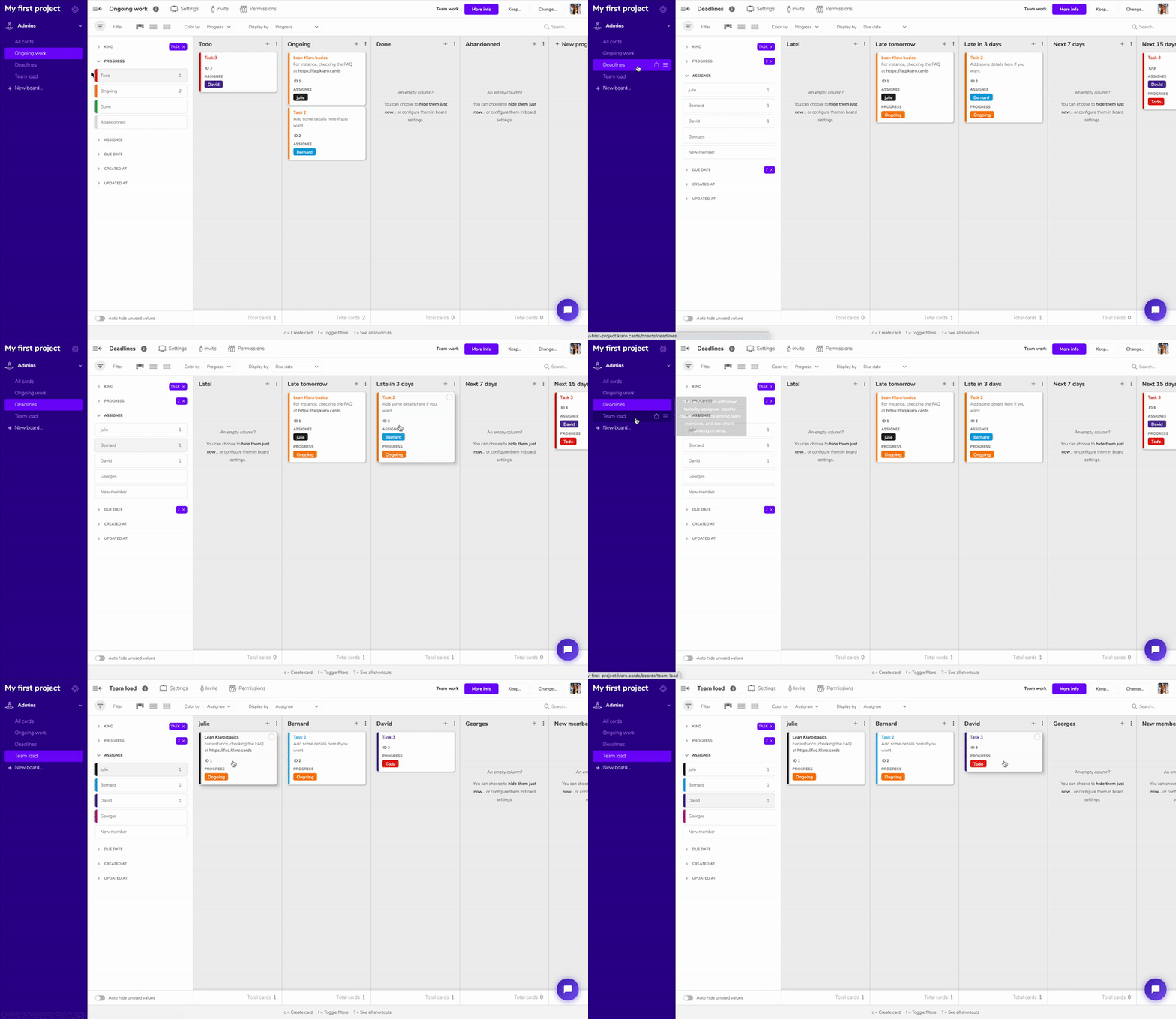
Once you have chosen your due dates, you will find your tasks on the Due Dates board, which is a calendar.
On the Team Load board, every member of the project finds their own tasks in their own column.
To try this template free of charge, go here
Fancy trying the template?
Try the template