
 Français
 English
Kanban, Grid, List: how to use them properly
The Kanban, Grid and List views are offered by the Klaro application. They were built to give you different ways of looking at your projects. They serve several purposes, which we explain in this article.
The Kanban view
A Kanban view is useful for organising cards into columns. A Kanban generally has columns that capture the different stages of a process, and lets the team move cards from left to right as the work advances.
In a Kanban, each stage of a process has a column of its own. Tasks are represented by small cards (in a physical Kanban, usually sticky notes) and moved from column to column as things progress.
A basic Kanban methodology supports that process continuously, and suits simple processes well, where both the number of tasks and the number of people involved stay reasonable.
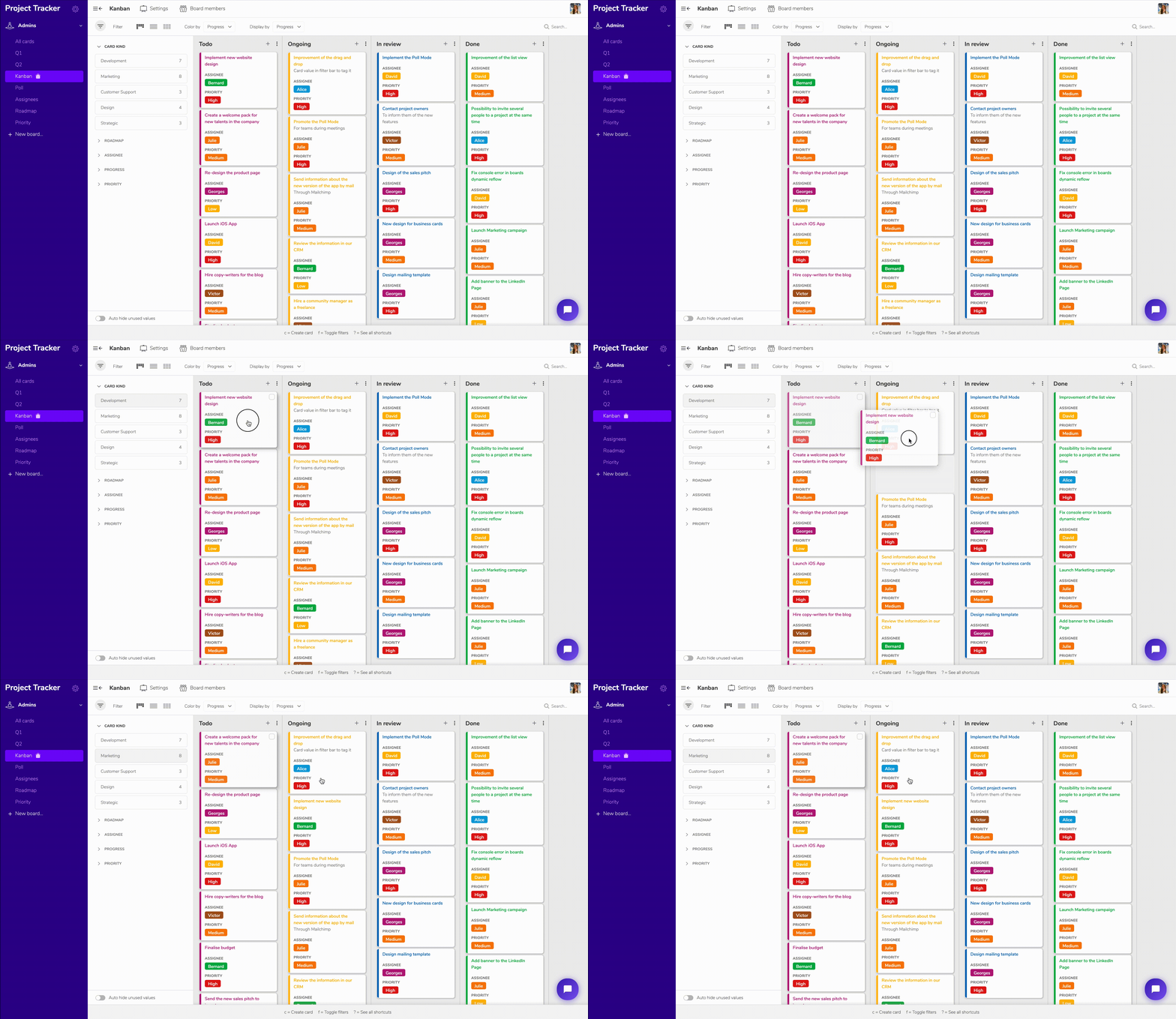
A Kanban template is available free of charge so you can get going quickly; find it here.
Klaro's Kanban is not limited to organising a process into stages, however. Since every dimension of a Klaro project can be used to lay things out in columns, the Kanban view is often used to categorise cards: by person, by department, and so on.
The Grid view
The Grid view is useful for an overview of your cards when they have longer titles than usual — a practical view for documentation, for instance.
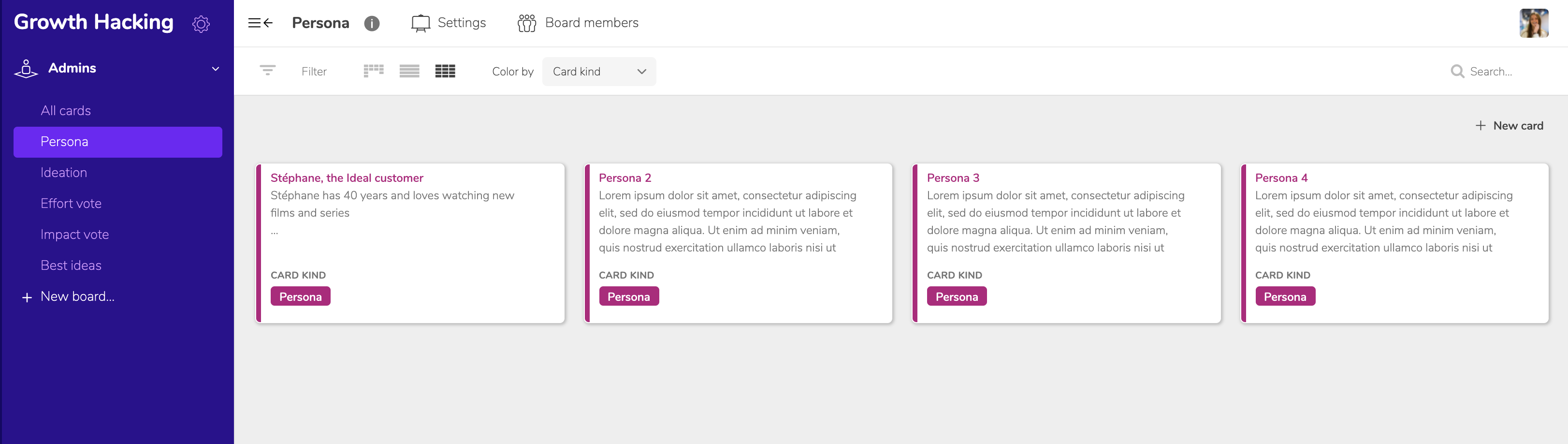
In this example we used the Grid view to get an overview of several personas.
The List view
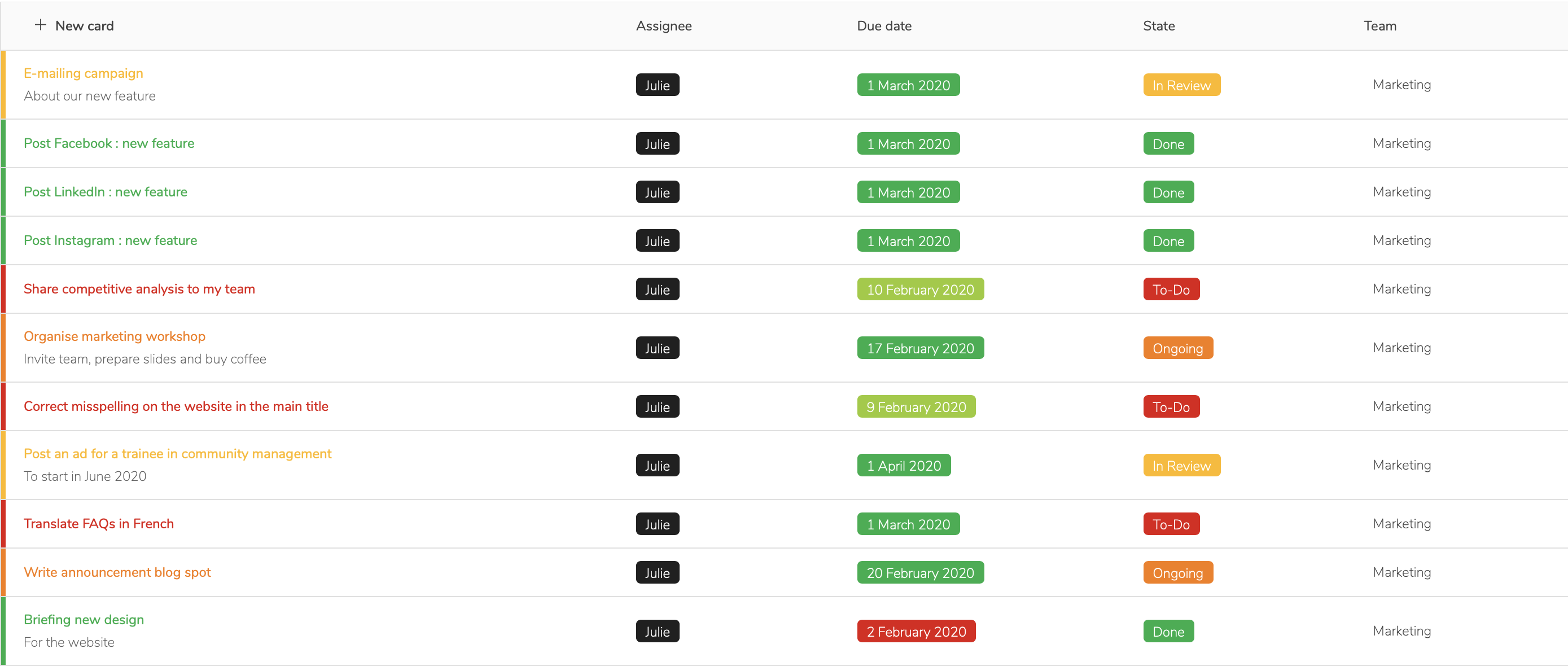
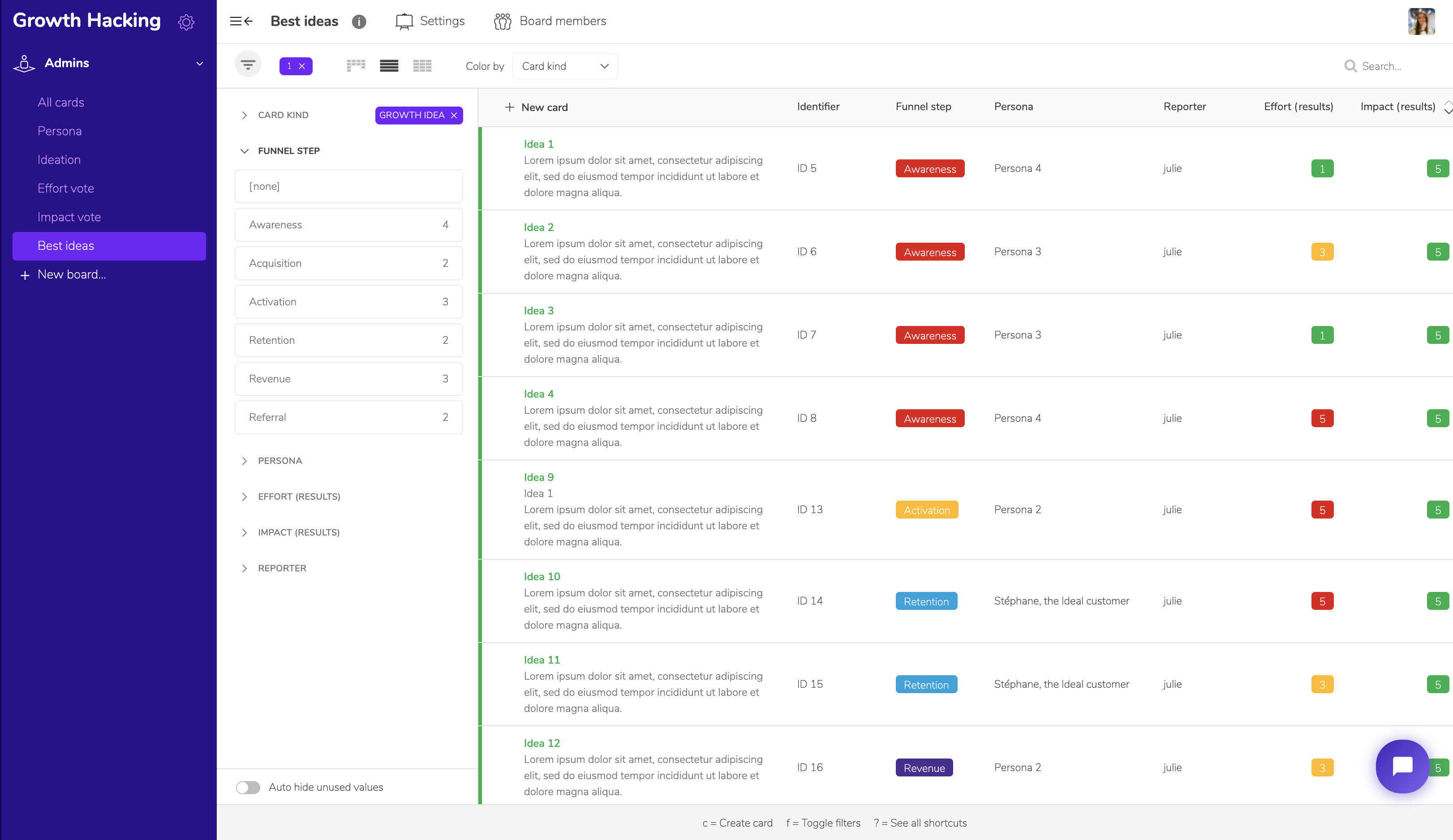
In this view, cards are shown as a list, which is useful for daily tasks, activity tables and the like. Such a list is very similar to what you would do in a spreadsheet, except that filtering and sorting are more dynamic and easier in Klaro.
More concretely, one of our templates brings the right use of all three views together very clearly: the Growth Hacking template.
The Kanban view is useful for the "ideation" process that let us brainstorm the stages of the Growth Hacking sales process, from Awareness (how do you make your product or service known?) through to Referral (why and how does a convinced customer or user recommend it?).
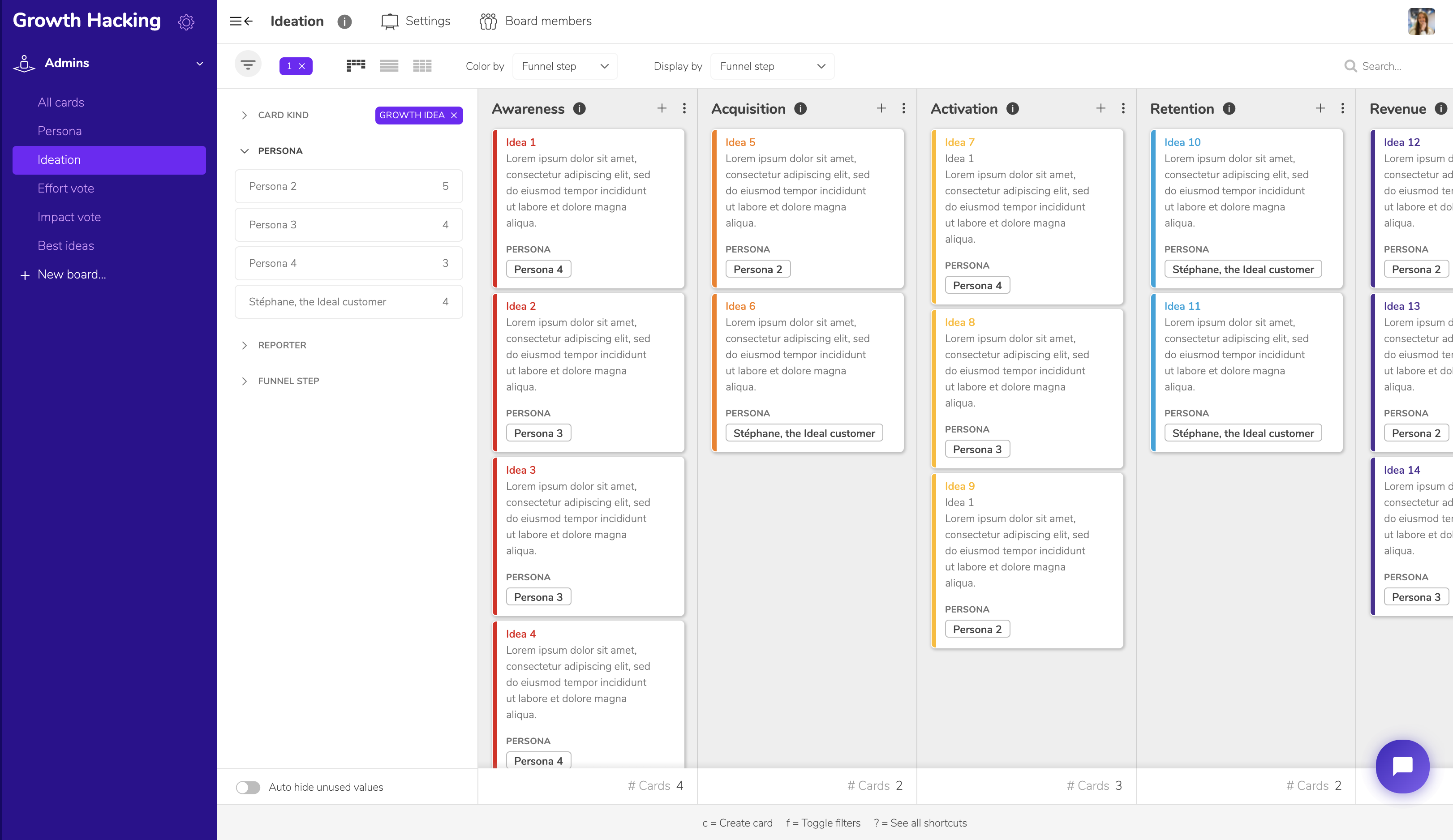
The Grid view is used, as seen above, for an overview of the personas attached to the Growth Hacking project.
Finally, once the ideas gathered earlier have been voted on individually (in a Kanban), the List view gives you a "Results" board, and with it a clear view of your Growth Hacking strategy.
Want to know more? Visit our FAQ or get in touch!