
 Français
 English
Editorial calendar: running a blog effectively
The editorial calendar or editorial plan is a concept used by copywriters and community managers. It is genuinely useful, indeed indispensable, in keeping a coherent schedule. But how do you use one well? Here is the model we use for our own blog.
Understanding the editorial calendar
The editorial plan is a tool for scheduling publications across one or several media. Those might be blog posts, social-network posts, YouTube videos, and so on. Here we will concentrate on scheduling blog articles, but everything set out in this article works perfectly well for any kind of publication.
What an editorial calendar is for, and what it gives you
Keeping a schedule is essential to building your company's digital strategy, whether on your blog or on your social networks. Far more than a simple plan, it lets you follow your organisation's communication strategy properly: the audience, the message, the objective are all things the editorial calendar covers.
So the advantages are:
- better organisation
- better tracking
- an overview of your posts, publications and articles
- support for your marketing and communication strategies
Starting to build an editorial calendar
Define your audience
Defining your audience is useful when scheduling your blog articles, and just as important when writing them. Knowing who you are addressing is the first thing to settle before building your editorial plan. To get there, ask yourself a few standard questions that will help you build your personas:
- What profession?
- What age bracket?
- What situation?
- At what time of day is my persona active online?
- Which platforms does my persona visit?
- and so on.
Define your article subjects
To find article subjects you can define a number of categories, either according to your personas, or according to your business, or both. Sorting your articles into several categories can genuinely help you when writing and organising them.
If you are short of ideas, do take inspiration from your favourite blogs. Visit blogs in different fields, look at the social networks, and you are bound to find inspiration. And do not forget to think about SEO ;)
Define the objectives of your articles
Once the personas are found and the article categories listed, concentrate on what each article is for. They can be of different kinds:
- lead generation
- informative
- opinionated
- instructive
- and so on.
Define the writers and the proofreaders
If you run your blog on your own, this section is not for you. But if there is a small or a large team behind your company's digital content, settling properly and in advance who writes what, who corrects what, who translates what (where needed) is indispensable to your editorial plan.
Following your editorial calendar properly
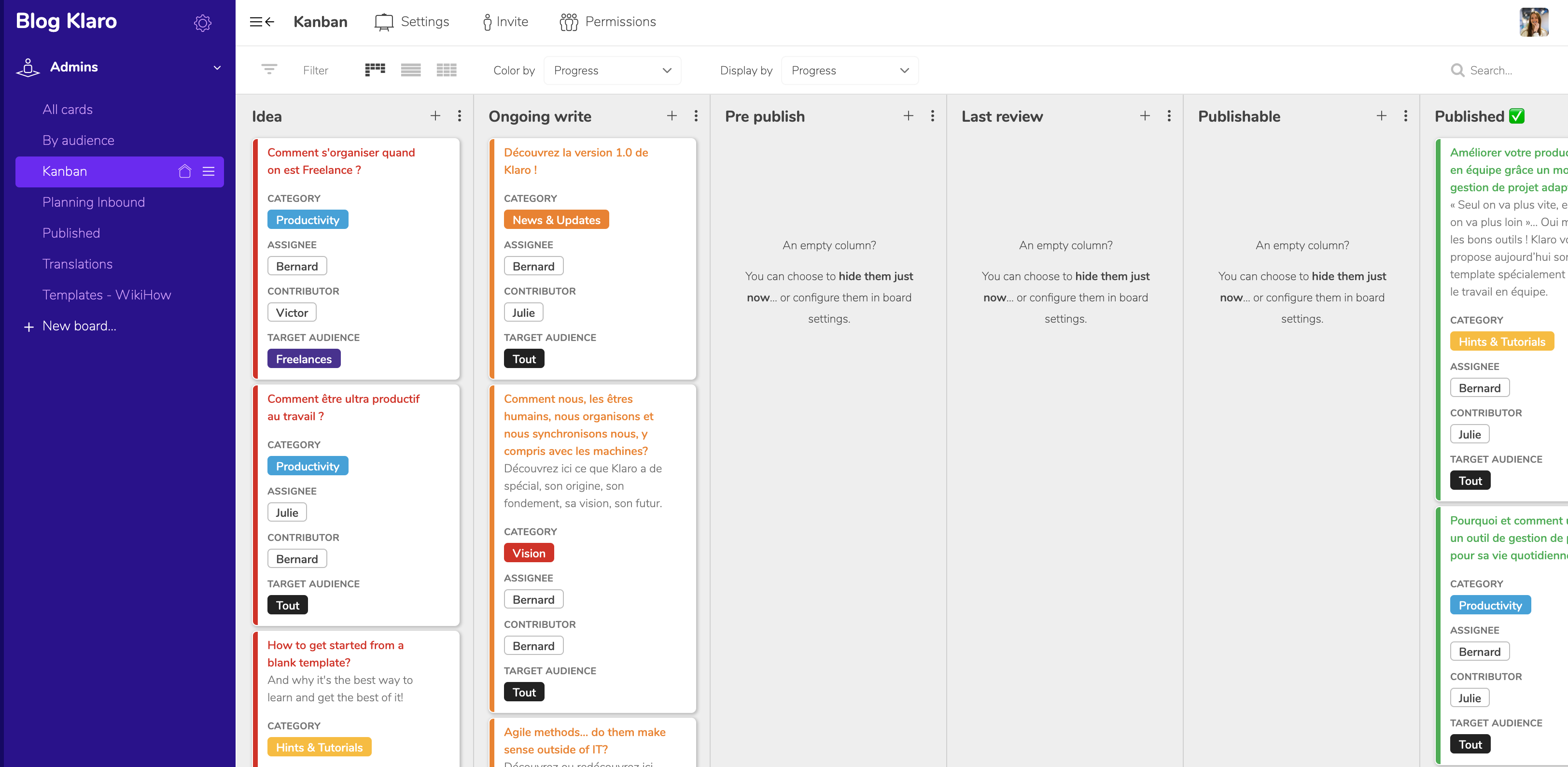
To follow the progress of your publications effectively, we would recommend setting up a process such as: Idea — Being written — Correction — Design ok — Ready to publish — Published. Genuinely following the stages lets everyone see how the schedule is going. On top of that, it is essential to set publication dates properly if you want to be precise about your organisation.
Useful tools for your editorial plan
For following your organisation we would suggest a project management tool such as:
- Klaro
- Trello
- Monday
- Asana
- and so on.
For scheduling and publishing your articles on social networks, here is a short list of genuinely handy tools:
- Hootsuite
- Buffer
- Spredfast
- Sendible
- and so on.
The model behind the Klaro blog
Unsurprisingly, we organise our editorial calendar with Klaro, our own project management tool.
We first defined our Card Kind, which is the main dimension of our project. Here, those are the blog articles.
On our "All Cards" board we listed our various article subjects.
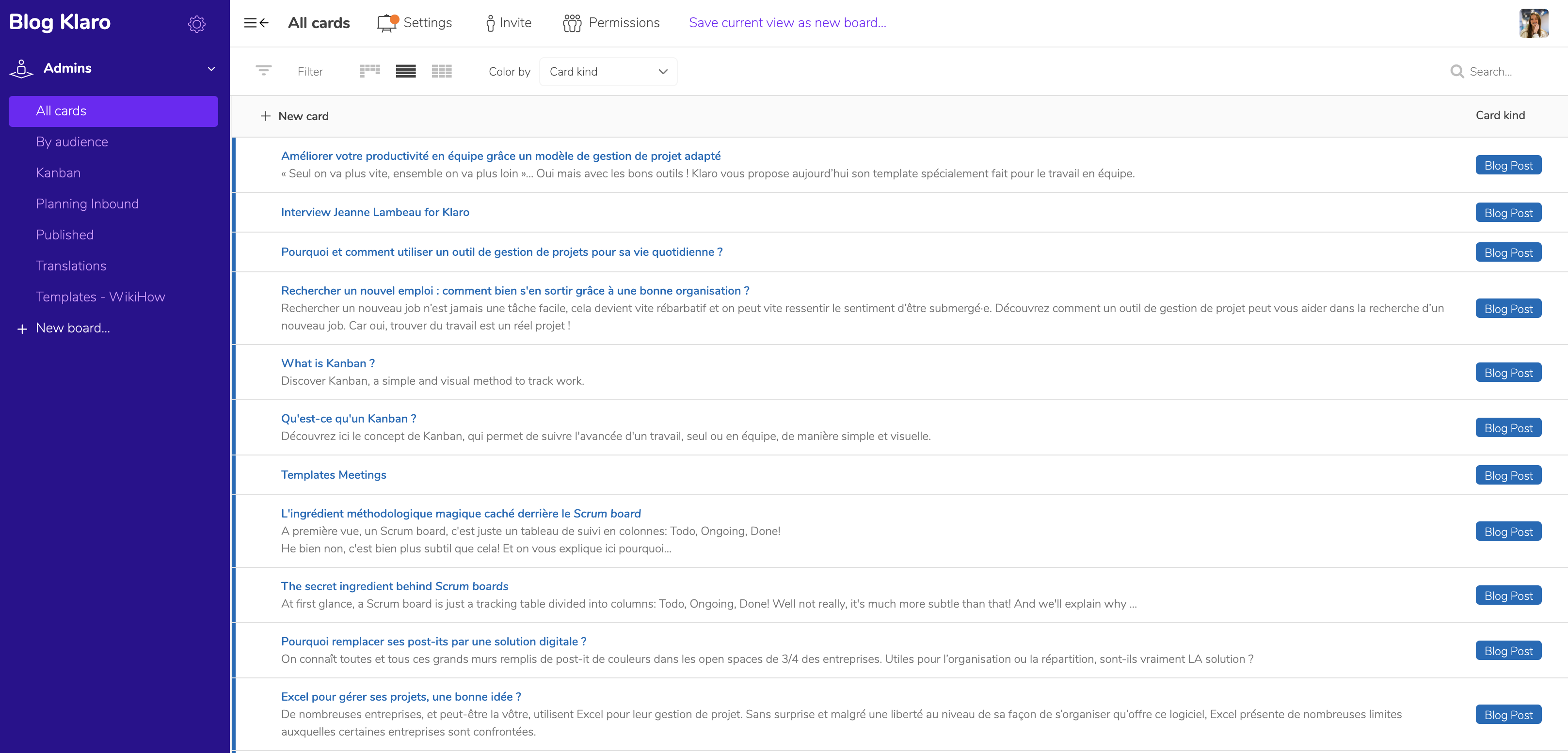
Then we set up various dimensions for following our editorial calendar:
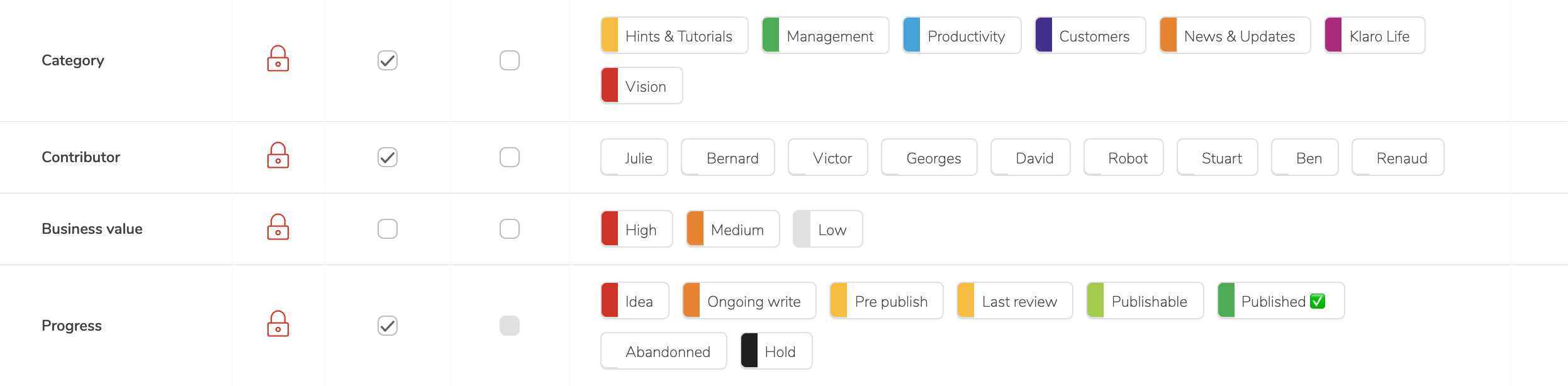


Once all that information was in place, we could simply create different views and boards from it.
So we have:
- A "Kanban" board, sorted by the "Progress" dimension. A small bonus: we configured our project so that cards dropped into the "Published" column publish straight to our blog. Get in touch if that might interest you.
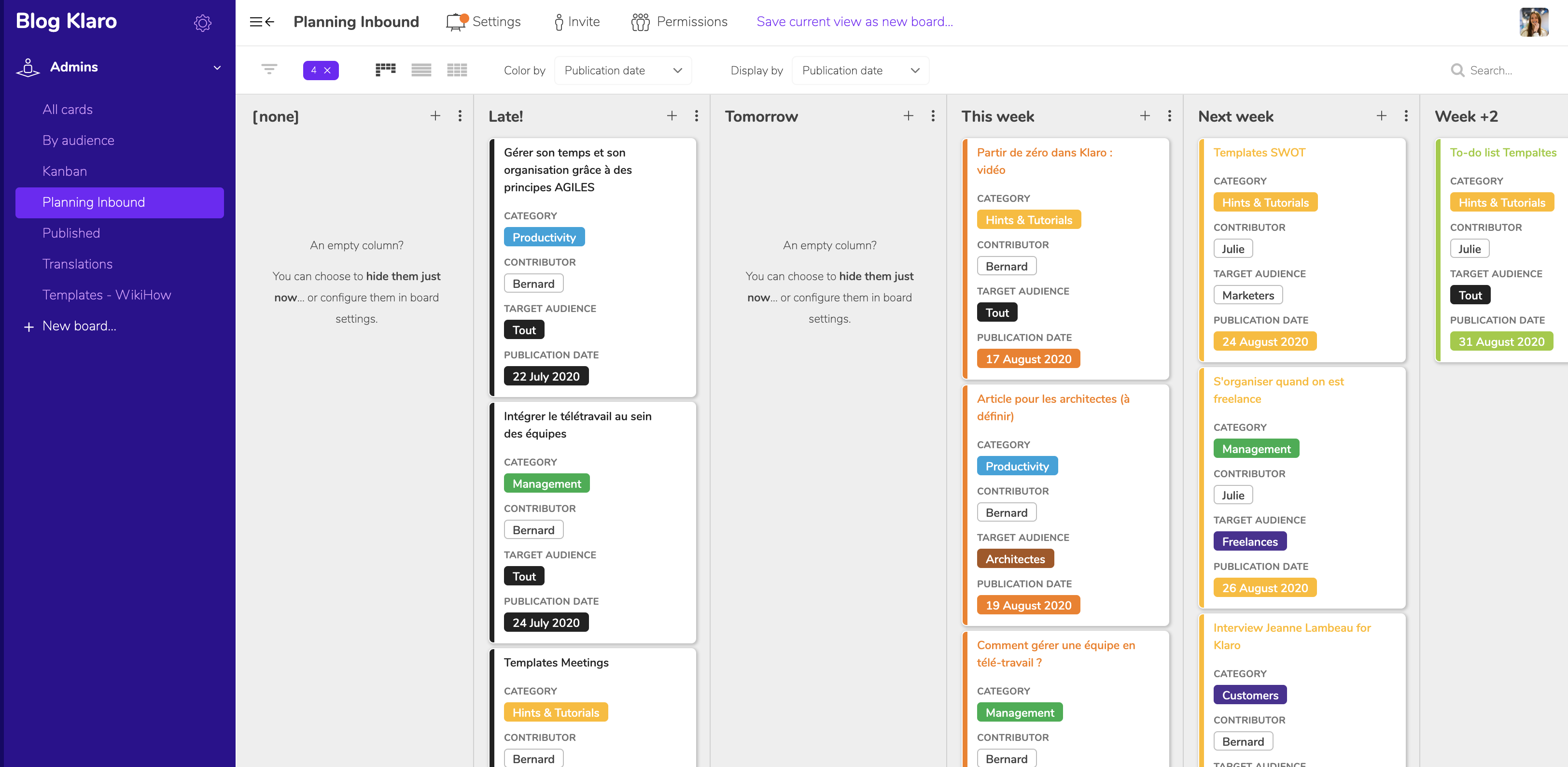
- A "Planning" board to follow the progress of our articles over time. Every article has a "Due Date" set in advance.
- A "By Audience" board for an overview of how many articles there are per audience.
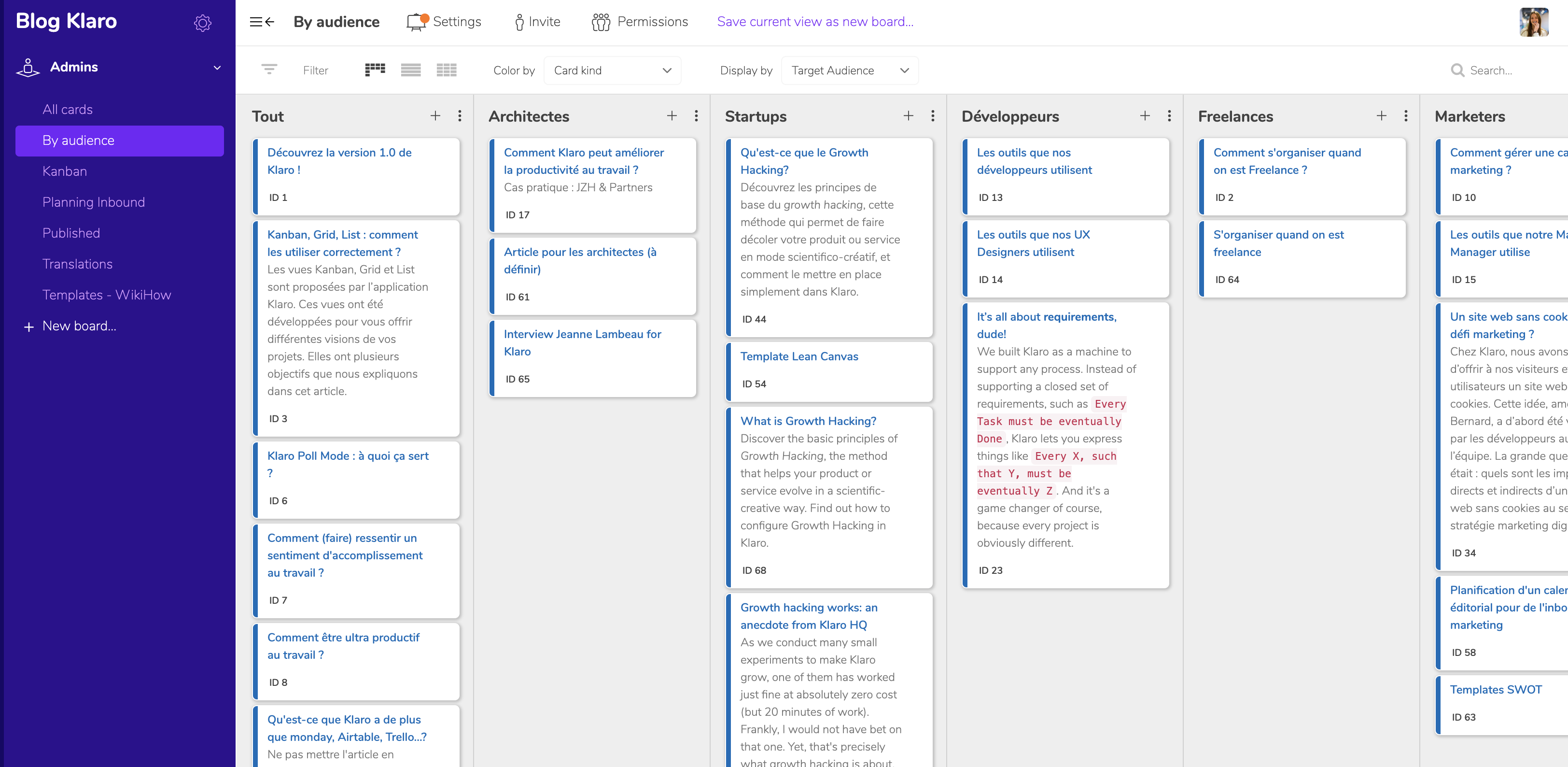
- A "Published" board, sorted by our article categories, which gives a complete view of everything we have published.
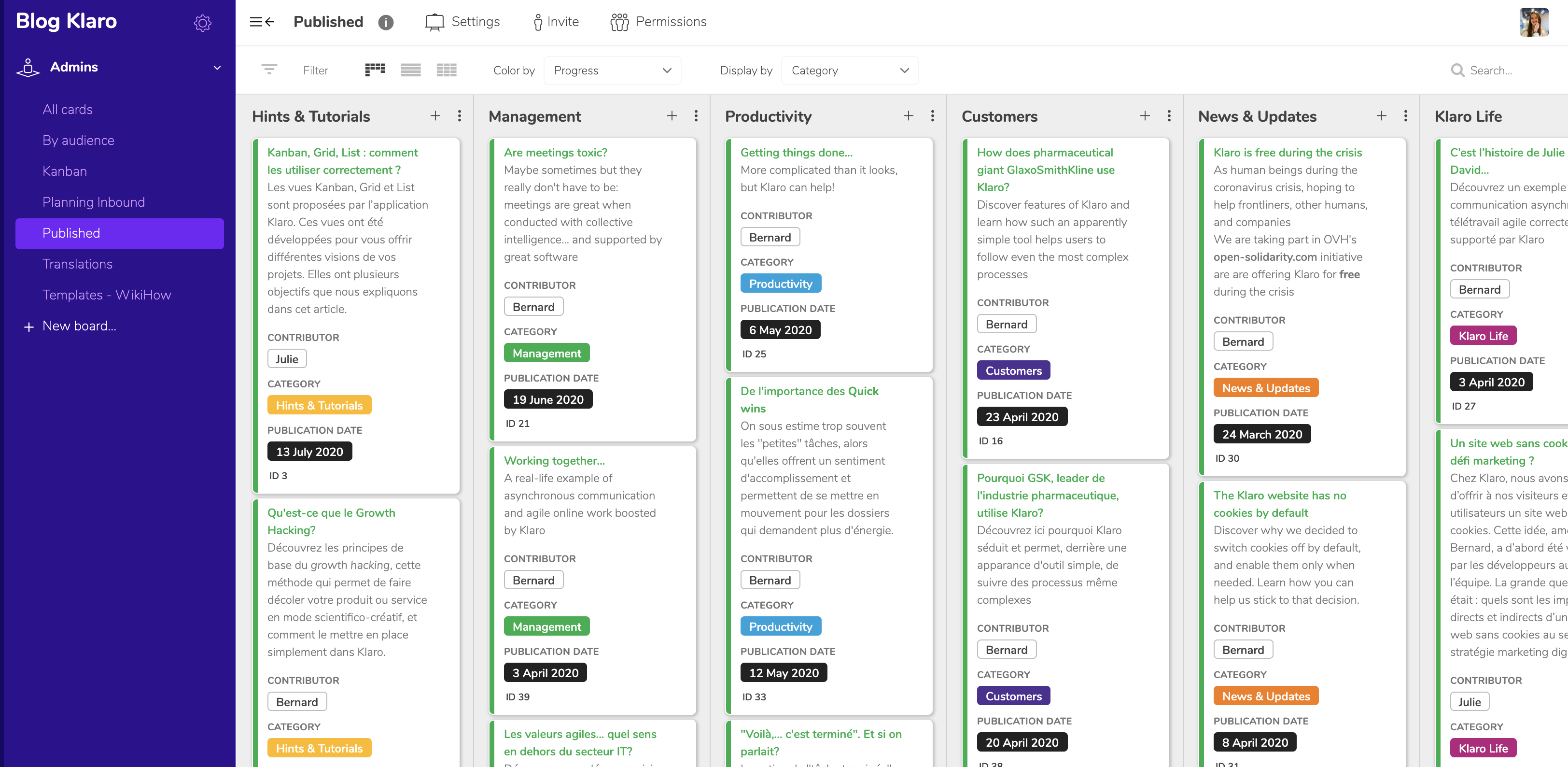
- A "Translations" board. In our case we translate our articles into English, so we created a board specifically for following those translations.
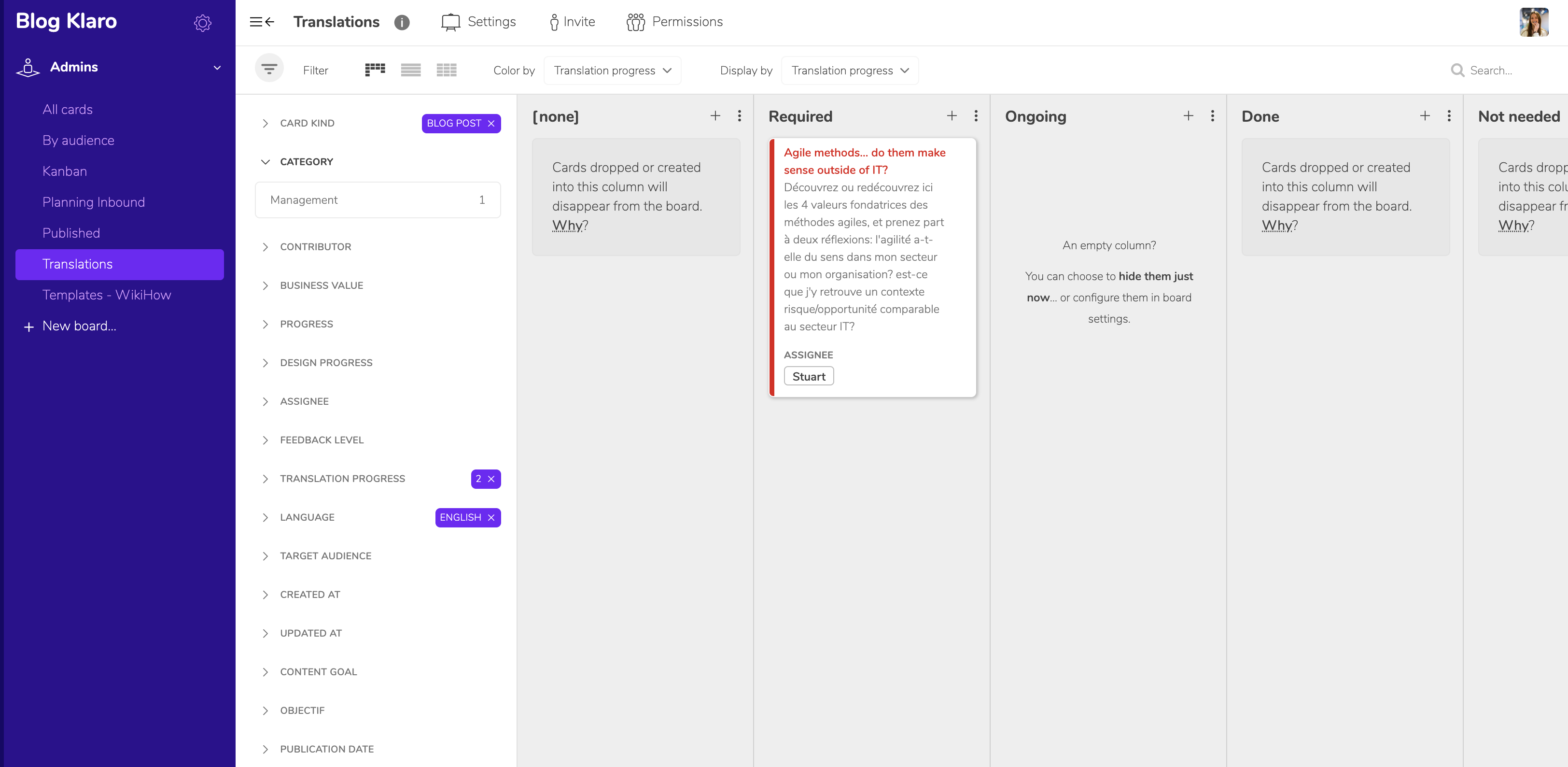
Let us build your editorial calendar together (or any other project). Book your free demo right here
A blog to keep up?
See the demo